The Brief
My previous portfolio started with a Framer template. It did the job for a junior designer and helped me land my first role at EY. Three years later, I wanted to build something that reflected what I had actually learned, both from being in product design every day and from watching how AI was changing what a designer could ship alone.
I didn't want a portfolio that looked good. I wanted one that worked like a product. Something with a design system, a CMS, version history, and an identity that grew with me rather than froze me at a moment in time. Something I would actually keep building.
The north star reference was carmen-elena.space. Her portfolio shows its own git log on the homepage, treats its design system as a shippable artefact, and uses Notion as a live CMS. That concept of portfolio as product became the brief.
From there I went wide on inspiration: other portfolios, apps, editorial sites, motion references. I built a moodboard before I built anything else, collaging images, colours, textures, and a feeling. That moodboard became the foundation for every visual decision that followed.
The Stack
Before writing a line of code, I made the stack decision. The constraint was clear: it had to feel like a real product, not a website builder export.
| Tool | Role |
|---|---|
| Figma | Design system + component library, screen wireframes |
| GitHub | Where the code lives |
| Claude chat | Strategic design partner |
| Claude Code | Implementation, where the actual building happened |
| Claude MCPs | Figma, Chrome, Notion |
| Next.js + TypeScript | Frontend framework |
| Tailwind v4 | Utility-first styling |
| Framer Motion | Animation and motion |
| Notion | Headless CMS for case studies |
| Vercel | Deployment + preview environments |
| Procreate | Brushstroke assets for the locked card reveals |
| Lovable | Iteration of widgets |
Notion as CMS
The key architectural decision: Notion as headless CMS. Case study content lives in a Notion database and is fetched at build time via the Notion API, so adding or updating a case study means writing in Notion, not touching code. The database has 12 properties covering content, access level, card colour, brush asset, one-liner, year, and tags. The frontend queries Notion at build time and renders pages dynamically from /work/[slug].
This decision also meant the portfolio had a real content layer, separate from the codebase. That separation is what makes it feel like a product rather than a static site.
The Design System — Marea DS
The design system came before any component. Not because it was the most efficient path, but because I knew that without a token foundation, every visual decision would be made twice: once in Figma and once in code, with drift between them.
I didn't build the full token system manually. I set the visual ground first: primary colours and core neutrals, type choices, border radius direction, what a card surface should feel like. Then I worked with Claude via the Figma MCP to finish the system: the full semantic colour architecture, tones, states, and typography scale. Claude wrote those tokens directly into my Figma file. It was the first time I experienced what a proper design-to-code token handoff could feel like when the tool boundary disappears.
Sketched in Claude chat, shipped in Next.js with Notion as the CMS
Claude for ideation and copy, Claude Code for the build
Token-driven design system applied across every surface
Scroll-triggered reveals, sticky reading progress, theme-aware content
The palette
The name Marea, Spanish for tide, set the direction. I love the ocean, and that feeling was the starting point for every colour decision.
The moodboard pulled from deep-ocean photography, the cosmos, Monet's lily pads, warm earth interiors, violet florals, and iridescent textures. The palette had to feel deep and calm but also alive, not cold. The result was a 14-token colour system across three groups:
Core ocean: Abyss #0F2A30 → Deep Tide #1C3D47 → Whale #3E7B8C → Seafoam #6DADA6
Accents: Cosmos #8A7ED4 · Lavender #C8A8E0 · Coral #E8A090 · Terracotta #D4856A
Surfaces: Warm Sand #F5F1E8 · Linen #E8E0D0 · Driftwood #C8B89A
Each accent has an assigned meaning and a rule about where it lives. Coral is reserved strictly for contact CTAs and footer reach-out moments. Cosmos handles links and navigation. Seafoam handles standalone case study links outside the card system. Using an accent outside its assigned meaning dilutes the signal everywhere else, so the rules are part of the system, not suggestions.
Typography
The first type pairing I landed on was quick. It looked good in Figma and felt right enough to move forward. But early feedback from a fellow designer flagged it: the combination felt more like vibe design than a considered typographic system. The kind of thing that emerges when you pick fonts that feel nice together without interrogating why.
That feedback made me slow down. I spent more time looking at how editorial and product design sites were using type, what made a pairing feel intentional versus atmospheric, and what each typeface needed to do functionally inside the system, not just aesthetically.
The result was three typefaces with non-overlapping roles:
Fraunces handles display and headings. It has an optical size axis and a slightly quirky character that makes large text feel editorial rather than corporate.
Plus Jakarta Sans handles body and UI. Clean, modern, legible at small sizes.
DM Mono handles metadata, tags, chips, and overlines. It gives the system a technical edge without feeling cold.
Homemade Apple appears once, in the hero greeting. The one moment of handwriting in the whole system.
Semantic tokens and dark mode
The most important architectural decision in the design system: semantic tokens alias to primitives, and dark mode switching happens at the semantic layer via CSS variable overrides. No manual recolouring, no Tailwind dark: class sprawl.
This was hard-won. Early in the build I had dark mode overrides in CSS classes that Tailwind v4's Turbopack inlined at build time, making overrides ineffective. The fix was inline style={{}} props via an isDark boolean in React for the few components where CSS could not reach. The lesson: semantic tokens are the only safe path for a token-based dark mode. Any shortcut creates drift.
Motion tokens
Motion got its own token collection with duration, content delay, and easing curve tokens.
Enter: 450ms, cubic-bezier(0.22, 1, 0.36, 1). Soft deceleration, ocean-reaching-shore.
Exit: 350ms, cubic-bezier(0.4, 0, 1, 1). Always roughly 70% of enter duration.
Content delay: 200ms, so content fades in after a reveal starts rather than simultaneously.
The principle behind exit being faster than enter: users have already seen the content. They don't need as much time to process it leaving as they needed to process it arriving.
UI Decisions
The card system
The most considered component in the system is the work card, or rather, the two-sibling work card pair.
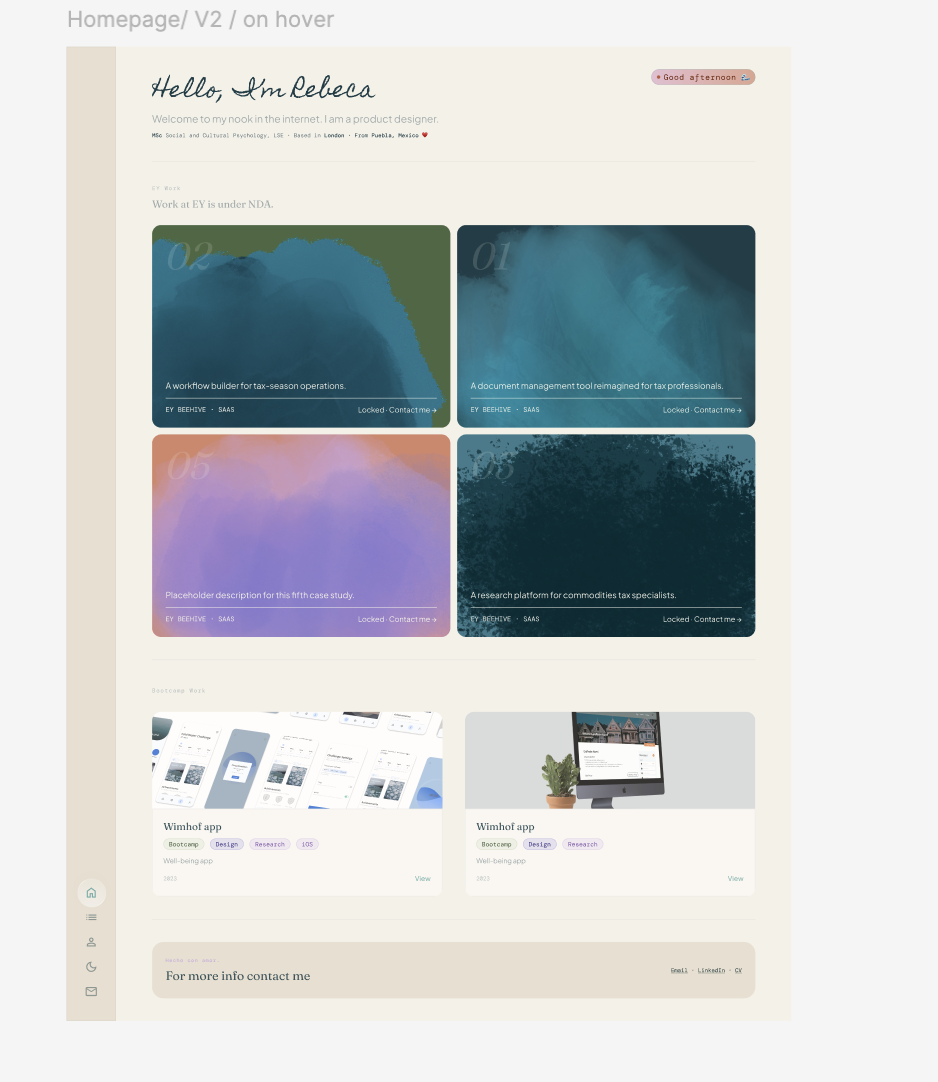
EY work is NDA-protected. Bootcamp work has full case studies. These two categories need fundamentally different media treatments: pure colour fields with brushstroke reveals for locked work, abstract gradient compositions for open work. A unified component with an Access property would mean the media area has to switch between colour-header and image-header internally, which is complex to maintain and hard to reason about. Two siblings (card and card / locked) share DNA across typography, layout, motion, and spacing, but keep their internals clean.
The locked cards reveal a Procreate-sourced brushstroke on hover, animated via a clip-path wipe from 100% to 0%. The effect is meant to feel like ink soaking into paper, or a wave reaching the shore. Each of the five EY cards has its own brushstroke direction and style. They are identity, not configuration. Making them swappable would misrepresent how the system works.
The widgets
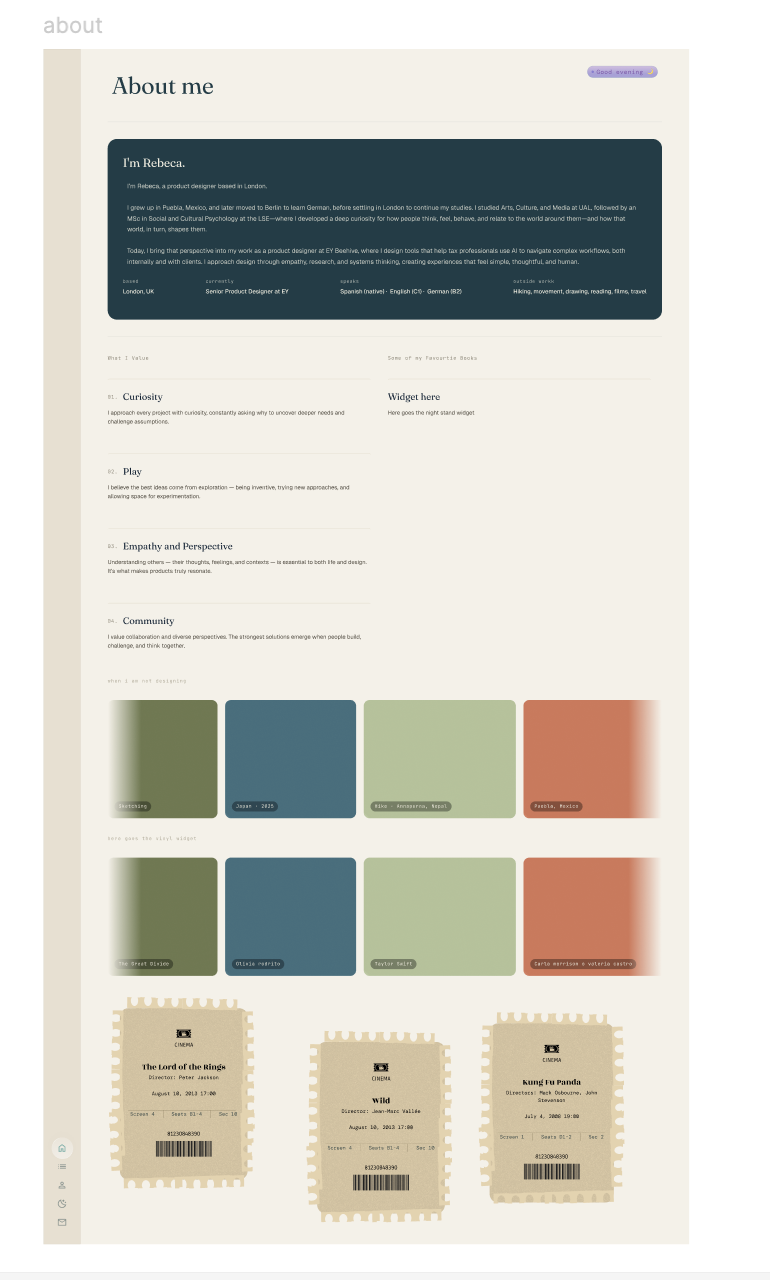
I wanted the portfolio to show more than work. The About page includes sections for films I rewatch, music I listen to, some of my favourite books on my shelf, and anime I rank. I wanted those things to feel interactive and alive, not like a list on a page.
The approach was to prototype each widget in a Lovable sandbox first, getting the interaction and animation right before worrying about the codebase. Once a widget felt correct, it was ported to the main repo via Claude Code. This kept the main codebase clean while letting me move fast on the creative side.
The results: film tickets that tear to reveal personal notes. A bookshelf you can pull books off of. Holographic anime cards with a foil effect that follows the cursor, and VHS tapes, for extra films, I could not add in the ticket section. A now-playing chip showing what I am actually listening to. Each one is a small piece of personality made tangible in the interface.
The Workflow
The build workflow ran in a consistent loop: wireframe in Figma, prototype in HTML with Claude in conversation, approve the design, write a Claude Code prompt, commit, push, and watch Vercel auto-deploy.
Claude played three distinct roles throughout:
Strategic design partner in conversation. This is where design decisions were made and reasoned through before anything touched the codebase. Why two card siblings instead of one. Why Coral is reserved for contact CTAs only. Whether the brushstroke direction should be configurable. Whether a new component needed a dark mode variant or could use semantic tokens alone. The conversation layer is where design thinking happened.
Implementation via Claude Code. Claude Code in the terminal executed the actual build. The workflow was to write a precise, copy-pasteable prompt in conversation, paste it into Claude Code, review the diff, and commit with a descriptive message. Claude Code does not make design decisions. It implements them.
Bridge between tools via MCPs. The Figma MCP meant Claude could reference the design system directly rather than work from descriptions. The Notion MCP meant case study content could be read and updated without leaving the conversation. The result was a tighter loop between design intent and implementation than I had experienced before.
Key Learnings
Start in Figma before touching code. The month I spent building out the Figma file before writing any code paid back in every subsequent session. Having a token system and component library as the source of truth meant I was never making visual decisions inside the codebase.
Slow down on type. The first pairing felt right until it did not. Getting feedback early and sitting with the question of what each typeface needed to do, not just how it looked, produced a more considered and more defensible system.
Index pages are not pitch pages. The work index provides a recruiter with enough signal in 2 seconds to decide whether to go deeper. Spare default states, rich hover reveals. That discipline had to be designed in, not hoped for.
Semantic tokens are the only safe path for dark mode. Any shortcut creates drift that compounds as the codebase grows.
The portfolio will keep updating. It has a changelog, a backlog, and a version number. New case studies get added as work ships. Components get refined as the design system matures. That is the point. A portfolio that reflects how I work should work the way I do: iteratively, with intention, and never quite finished.
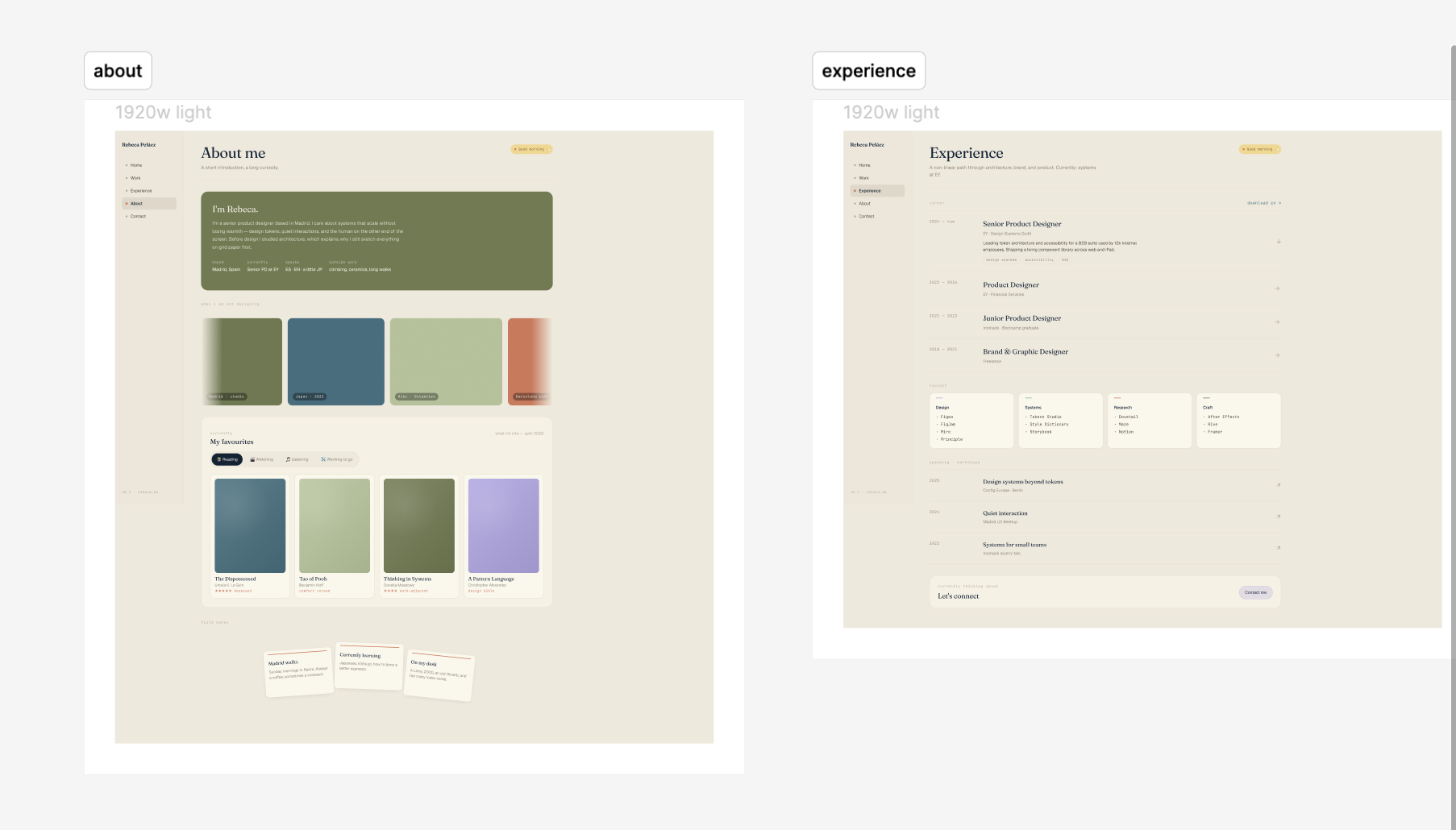
Some initial screens
Built with Next.js · Tailwind v4 · Framer Motion · Notion CMS · Vercel · Claude Code